
Latest Version
Appgrammers LLC
Tools
Mac
$9.99
1564847905
Report a Problem
More About Disk Care: Best Drive Cleaner
If your Mac is running sluggishly or warning you that your startup disk is almost full, Disk Care: Best Drive Cleaner by Appgrammers LLC offers a streamlined, highly effective solution. Designed specifically for macOS, this utility targets the hidden clutter that builds up during daily use, allowing you to reclaim valuable storage space with just a few clicks.
Reclaim Storage Space with Disk Care: Best Drive Cleaner
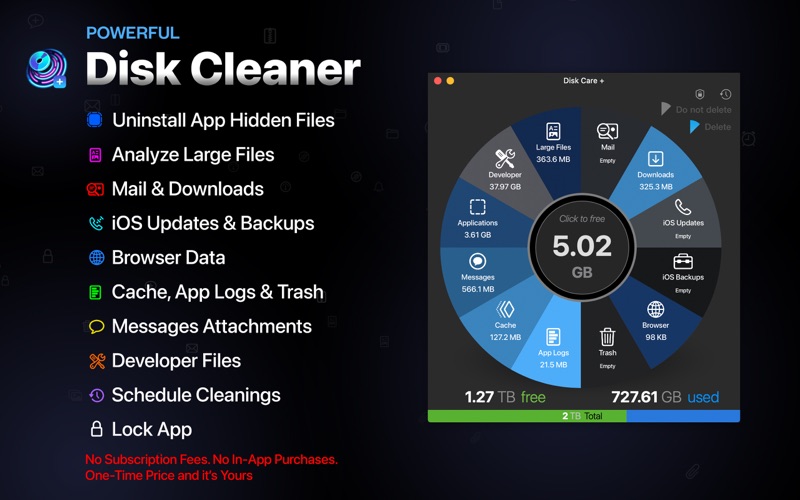
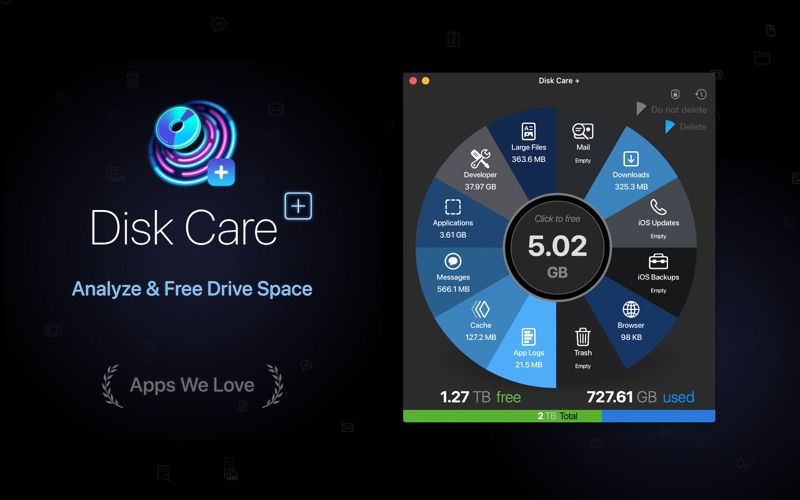
Unlike basic utilities, this application targets specific, often-overlooked directories where digital junk accumulates. Instead of searching through system folders manually, the app scans and optimizes several critical areas safely:
- Application Cache & Logs: Cleans up temporary files left behind by active and deleted software.
- Hidden Support Files: Safely removes orphaned data from uninstalled applications.
- Large Mail & Message Attachments: Frees up space taken by media files sent via Messages and Mail.
- iOS Backups & Update Files: Purges old, redundant iPhone or iPad backups and system updates stored on your drive.
- Browser Data & Downloads: Clears out bloated download directories and temporary internet files.
Key Features for Smart Drive Management
Disk Care: Best Drive Cleaner is built with several advanced features that give you complete control over what gets deleted:
Large File Finder
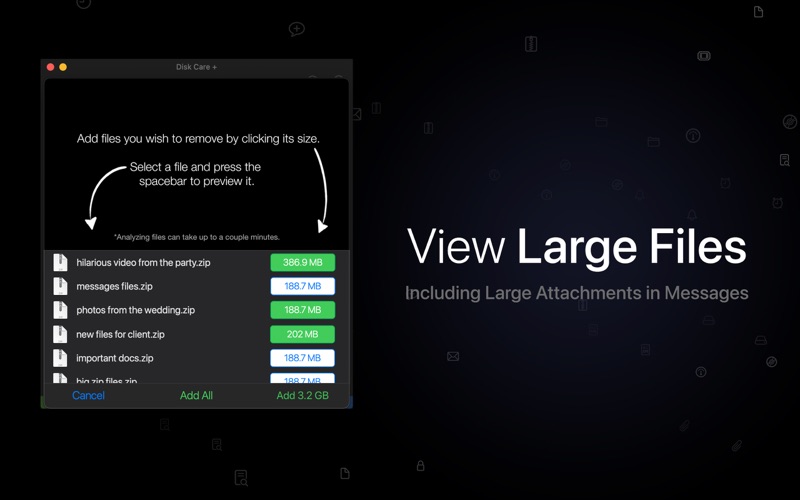
The app includes a dedicated view that isolates files larger than 100 MB, sorting them from largest to smallest. With a built-in preview theater, you can quickly inspect these heavy files before deciding whether to keep or delete them.
Custom Exclusion Lists
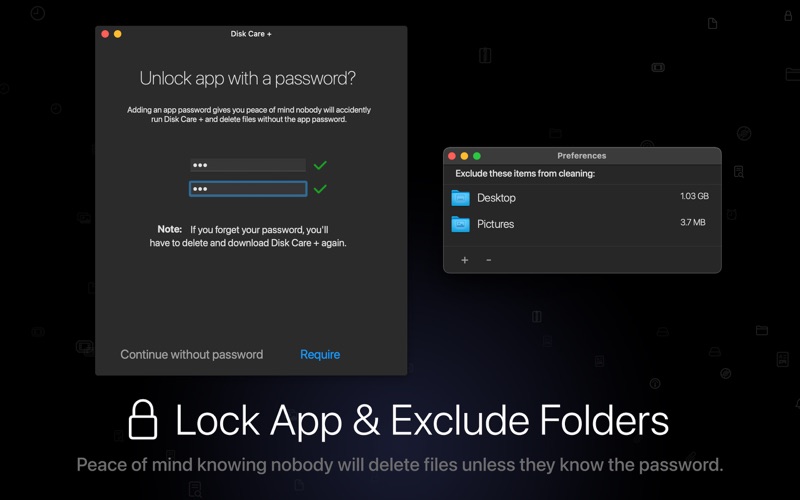
To prevent accidental deletion of critical work, you can define custom exclusion rules in the preferences panel. Excluded folders and files will be bypassed during standard cleanups and hidden from the Large Files viewer entirely.
Automated Cleanup Scheduling
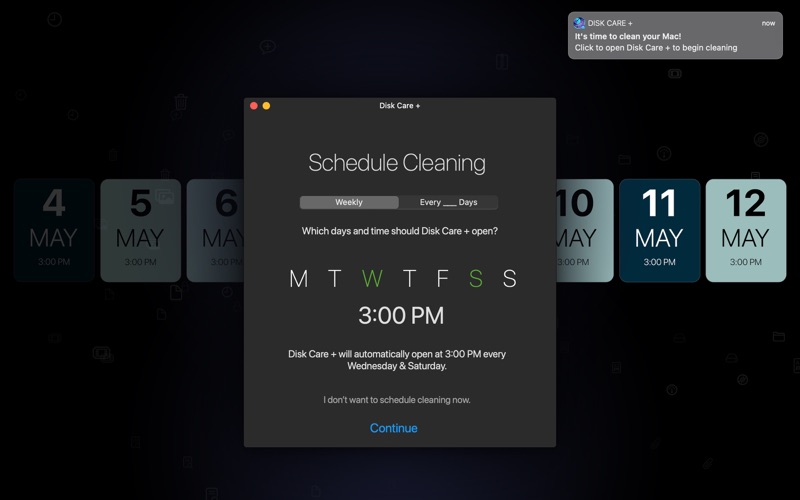
You can set the application to launch automatically on specific days of the week or at set intervals. To ensure user safety, the utility will never delete files automatically; it simply opens to remind you to run a scan.
Built-in Security and Lock Features
To prevent unauthorized or accidental modifications, you can lock the application interface. Additionally, a comprehensive tutorial and safety warning accompany every cleanup process to ensure you are fully aware of what is being removed.
Who Is This Drive Cleaner For?
This utility is ideal for Mac users who need a straightforward, visual way to manage their storage without risking critical system files. It is fully optimized for Apple Silicon, ensuring rapid scans and minimal resource usage on modern Mac hardware.
Ready to reclaim your storage? You can find the official version of Disk Care: Best Drive Cleaner on the Mac App Store to start optimizing your system today.
Rate the App
User Reviews









Popular Apps










Editor's Choice